December 18, 2025
Best Arc Browser Alternatives for Modern Browsing


Arc changed what people expected from a browser. Not because it was flashy, but because it actually fixed things people had complained about for years. Vertical tabs that made sense. Spaces instead of messy profiles. Tabs that cleaned themselves up. A sidebar that finally felt useful. Once you got used to it, everything else felt outdated.
For a while, it genuinely felt like the future of browsing had arrived. Then, in May 2025, The Browser Company stopped developing Arc. The team announced they were shifting their focus to Dia, an AI-first browser. In September 2025, Atlassian acquired the company for $610 million. Arc still works and still receives security updates. But feature development is done. Nothing new is coming.
Windows users were hit the hardest. Arc for Windows never reached the level of the macOS version before development stopped. And even at its best, Arc was far from perfect. RAM usage regularly crossed 4 to 6GB. Battery drain on MacBooks was noticeable. Crashes were not uncommon. Account sign-in was mandatory. The learning curve was steep enough that Arc's own CEO admitted it was "too different" for most people.
And still, people kept using it. Because when Arc fit your workflow, going back to a traditional browser felt like a step backward.
So if you switched to Arc for productivity, or you just loved how it felt to use, you are now stuck with a simple question: What do you switch to now?
Not Chrome. Not Safari. You need something that works the way your brain works.
Thus, we researched more than 20 Arc alternatives, from traditional browsers to visual workspaces and hybrids. In the end, we narrowed it down to 10 that actually make sense as replacements. Some feel very close to Arc. Others go in a different direction and might end up working even better for you.
Key Takeaways
Arc Browser was discontinued in May 2025 after The Browser Company pivoted to AI products and Atlassian acquired them for $610 million
Kosmik offers the most evolved alternative with built-in browser, infinite canvas, and AI-powered organization that eliminates app-switching
Zen Browser provides the closest Arc-like experience across all platforms for free with vertical tabs, workspaces, and open-source sustainability
SigmaOS delivers the smoothest Mac migration with an Arc import tool, Command Bar, and productivity features for $20/month
Consider your priorities: visual thinking (Kosmik), Arc features (Zen), Mac productivity (SigmaOS), customization (Vivaldi), or privacy (Brave)
Get started with Kosmik to create visual thinking spaces that match how your brain actually works, with zero app-switching.
Arc Browser vs Modern Browsers: What's the Difference?
Arc wasn't just another browser with vertical tabs. It reimagined how browsers organize information. Traditional browsers use tabs as temporary stops. Arc used Spaces (separate tab collections), Pinned Tabs (that reset to home URLs), auto-archiving (automatic cleanup), and a Command Bar (keyboard-first navigation).
Here's what made Arc different:
Feature | Arc Browser | Traditional Browser |
|---|---|---|
Tab Organization | Vertical sidebar with Spaces | Horizontal tabs |
Tab Management | Auto-archive after 12 hours | Manual cleanup |
Navigation | Command Bar (Cmd+T) | Address bar only |
Pinned Items | Reset to original URL | Static bookmarks |
Multi-tasking | Split View native | Extensions needed |
The problem? Arc's approach worked brilliantly for some users and felt alien to others. The mandatory account, RAM usage, and crashes frustrated many. Now that development has stopped, former Arc users need browsers that capture what worked without the compromises.
The Real Problems with Arc Browser
High RAM Usage and Memory Leaks
Arc browser consumed 4-6GB of RAM with moderate tab counts. Some users reported similar usage to Google Chrome despite Arc's promises of better performance. According to user reports, Arc used 320MB compared to Chrome's 660MB with identical tabs, but results varied wildly based on use case.
CPU spikes and heavy swap usage on low-RAM systems made Arc unusable for budget MacBooks and Windows machines. Battery life on MacBooks dropped significantly compared to Safari, with some users reporting reductions from about 8 hours to 5-6 hours under similar workloads.
Crashes and Stability Issues
Windows users faced constant crashes. The Windows version never reached feature parity with macOS before discontinuation. Users reported blank tabs after fullscreen use, crashes from toggling site permissions, and "ERR_TUNNEL_CONNECTION_FAILED" errors in specific profiles.
Users mentioned passwords going missing and frequent breakdowns. One user said, "Keeps crashing, breaking down, passwords go missing." Arc addressed some crashes in updates, but many persisted until shutdown.
Mandatory Account Requirement
You couldn't use Arc without signing in. No browsing local files, no checking settings, nothing without a cloud account. Privacy-focused users questioned why a browser needed mandatory cloud sync for basic functionality.
This requirement separated Arc from Firefox, Brave, and other privacy-first browsers that work perfectly fine without accounts.
Platform Abandonment
In May 2025, The Browser Company ended support for Arc on Windows. The Windows alpha never caught up to macOS. No more updates, no security patches beyond Chromium updates, and Windows users left with an incomplete product.
The community backlash was immediate. One user said: "Dia is just a huge slap in the face to Arc users. Arc had momentum and character, and instead of doubling down, they just left us hanging."
Limited Sync and Export
Arc lacked robust bookmark and history syncing compared to Chrome or Firefox. No way to export pinned tabs. No "true" multi-device synchronization. Users who invested time organizing Spaces found migration difficult.
How Modern Arc Alternatives Solve These Problems
Zero Context Switching
Kosmik solves the app-switching problem Arc didn't address. Press 'W' to open a browser directly on your canvas. Everything you browse, every PDF you read, every note you take lives in one visual workspace. No switching between Arc and Notion, or Arc and your note-taking app.
Sustainable Open-Source Development
Zen Browser and Floorp are open-source projects that won't be abandoned like Arc. Community-driven development means features get added based on actual user needs, not investor pressure to pivot to AI products.
Cross-Platform Consistency
Vivaldi, Brave, Edge, and Firefox work identically across Windows, Mac, and Linux. No waiting for feature parity. No second-class Windows experience. Your workflow stays consistent regardless of operating system.
No Mandatory Accounts
Most Arc alternatives work without forced sign-in. Firefox, Brave, Vivaldi, Zen, and Floorp all function perfectly without accounts. Sync is optional, not mandatory.
What Actually Matters in a Browser After Arc?
Vertical Tabs and Sidebar Organization
Vertical tabs maximize screen space and improve readability. Arc's sidebar made sense. Look for browsers with native vertical tabs (Zen, Edge, Vivaldi) or strong extension support (Firefox with Tree Style Tab).
Workspaces or Spaces Equivalent
If you used Arc's Spaces to separate work, research, and personal browsing, you need workspace functionality. Zen Browser, SigmaOS, Vivaldi, Floorp, and Edge all offer workspace organization. Quality varies, Arc's implementation was smoother than most.
Keyboard-First Navigation
Arc's Command Bar (Cmd+T) made navigation fast. Look for browsers with Command Palette features: SigmaOS has Lazy Search, Vivaldi has Quick Commands, Edge has Tab Search. Not identical to Arc, but close.
Visual and Spatial Thinking Support
If Arc still felt too linear, consider tools like Kosmik that embrace spatial organization. Infinite canvas lets you arrange tabs, notes, and research visually rather than forcing everything into lists.
Tab Management Features
The auto-archive was polarizing but useful. Most browsers lack native auto-archive. Zen Browser and Floorp can approximate it with the Dustman extension (auto-closes inactive tabs after 20 minutes). Not as polished as Arc's implementation.
Performance and Battery Life
Arc was a battery hog. If efficiency matters, prioritize Safari (Mac only), Brave (privacy + performance), or Orion (WebKit-based, Mac only). Chromium browsers (Chrome, Edge, Vivaldi, Brave) generally consume more RAM than Firefox-based alternatives (Zen, Floorp, Firefox).
Privacy and Security
Arc had a security breach in August 2024 involving Firebase misuse. If privacy matters post-Arc, consider Firefox (strongest privacy), Brave (built-in ad/tracker blocking), or Zen Browser (Firefox-based with Containers).
AI Features and Intelligent Assistance
Arc didn't have AI features, but modern browsers increasingly offer AI-powered organization, research assistance, and content discovery. If you want intelligent browsing capabilities beyond Arc's manual organization, consider browsers with built-in AI features that can auto-tag content, suggest related resources, and assist with research.
Best Arc Browser Alternatives (Ranked)
1. Kosmik: Best Arc Alternative for Visual Thinkers
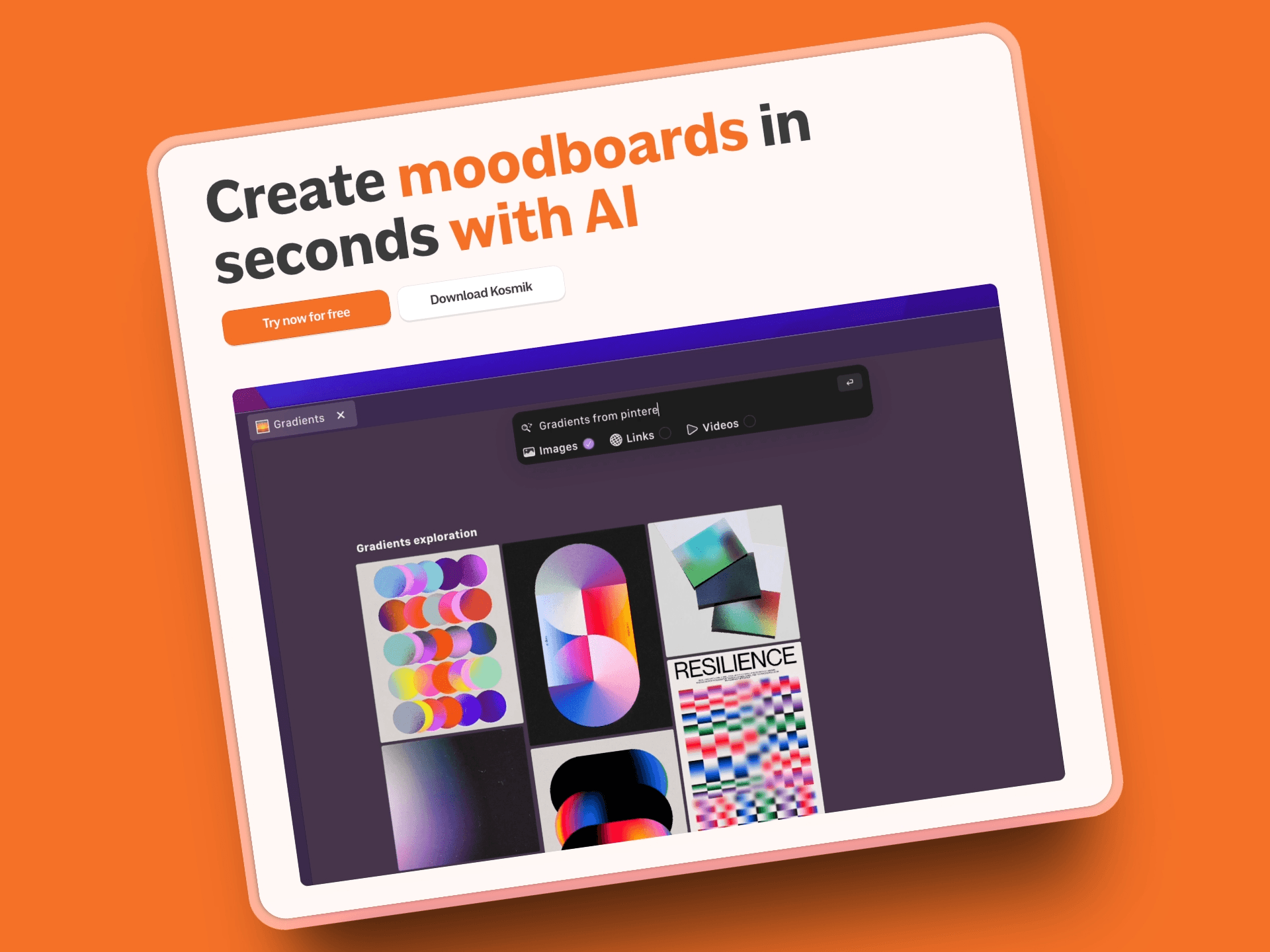
Kosmik is what happens when you stop forcing creative work into browser tabs and embrace how your brain actually thinks. Instead of managing 50 tabs across multiple Spaces, you get an infinite canvas where everything lives visually. Built-in browser, PDF reader, AI organization, all in one workspace.
Key Features
Built-in browser (press 'W') eliminates app-switching entirely - browse without leaving your workspace
Infinite canvas for spatial organization - arrange research visually instead of forcing it into linear tabs
Frames provide visual containers with titles and borders to organize canvas sections, ideal for mood boards, research by topic, and presentation-style layouts
Drawing Tools include Pen, Marker, and Eraser for annotating PDFs and images directly on canvas
AI auto-tagging organizes content by colors, themes, and subjects automatically
AI Asset Finder uses computer vision to discover related images and videos from YouTube, Pinterest, and the web based on what's already on your canvas
PDF reader with OCR extracts text from any document without separate apps
Multi-format support: PDFs, images, videos, web pages, documents all work natively
Real-time collaboration with live cursor tracking and commenting
Web Clipper Chrome extension sends content directly to Kosmik Inbox
Pros
Zero context switching - browser, notes, files, all in one visual workspace
Frames let you divide your canvas into labeled sections, unlike any traditional browser's tab or workspace approach
AI Asset Finder uses computer vision to discover related content from YouTube and Pinterest based on what's already on your canvas
Native support for every file type eliminates "which app opens this?" moments
Affordable at $11.99/month (yearly) compared to professional research tools costing $200+/month
Connector system creates visual relationships between ideas automatically
1-week free trial with full Pro features lets you test without commitment
Real-time collaboration works smoothly for team research projects
Actually designed for how visual thinkers work, not retrofitted from traditional browsers
Cons
Newer platform means smaller ecosystem than established browsers
Learning curve if you're deeply attached to traditional tab chaos
No mobile app yet (web version works on tablets)
Different paradigm from browsers - requires rethinking your workflow
Pricing
1-Week Free Trial: Full Pro features
Kosmik Pro: $11.99/month (yearly) or $14.99/month - unlimited workspaces, sharing, AI requests, priority support
Ambassador: $16.99/month (yearly) or $20.99/month (monthly, coming soon) - adds Slack channel, Figma plug-in, fonts support, brand kits
Enterprise: Custom pricing - team management, custom onboarding, dedicated support
See full pricing details for the latest plans and features.
User Reviews
Kosmik has an 8.6/10 user rating on Tool Finder. Users highlight the fast macOS app, brilliant in-app browser feature, and describe it as "the most complete and easiest to use visual research platform for individuals and teams alike."
Why Kosmik is the Best Arc Browser Alternative?
Arc tried to fix browsers by organizing tabs better. Kosmik went further, asking: why force creative work into tabs at all?
If you used Arc for research, design inspiration, or complex projects, you probably still hit walls. Too many tabs across too many spaces. Everything is still linear. Still switching between Arc and other apps for notes, files, and organization.
Kosmik eliminates that friction completely. Your browser, notes, PDFs, images, videos - everything exists on one infinite canvas you can organize spatially. The built-in browser (press 'W') means you never leave your workspace to search or clip content. Frames let you divide that canvas into labeled sections. Drawing Tools let you annotate PDFs without a separate app. AI auto-tagging handles categorization automatically. The AI Asset Finder discovers related content from across the web using what's already on your canvas as context.
For Arc users who loved the idea but hated the limitations, Kosmik delivers what Arc promised: a genuinely better way to organize your digital work. No mandatory account. No RAM overload. No abandonment risk from a startup chasing AI pivots.
Best For
Researchers managing multiple sources and complex literature reviews
Designers collecting inspiration and building moodboards across web + file sources
Content creators organizing references without tab chaos
Visual thinkers who find linear organization limiting
Teams collaborating on research, strategy, or creative projects
Anyone who used Arc Spaces but needed more flexibility
2. Zen Browser: Best Free Open-Source Arc Alternative

Zen Browser is the closest you'll get to Arc's experience without Arc. Free, open-source, built on Firefox, with vertical tabs, workspaces, split view, and glance windows. Launched in 2024, Zen's already earned 40,000+ GitHub stars and is becoming the daily driver for former Arc users who want the features without the abandonment risk.
Key Features
Vertical tabs as core design choice - entire browser built around sidebar organization
Workspaces organize tabs into separate contexts, switch between them easily
Split View tiles tabs together in same window for true multitasking
Glance opens links in modal view (hold modifier key when clicking) - easier dismissed than new tabs
Tab folders let you nest groups for complex organization
Window Sync keeps multiple Zen windows in sync automatically
Custom tab icons and tab renaming via right-click or double-click
Compact Mode hides tab bar when not needed, shows it when you do
Firefox Containers provide privacy isolation Arc lacked
Works with all Firefox extensions out of the box
Zen Mods ecosystem offers community themes and plugins
Pros
Most Arc-like experience available across all platforms (Windows, Mac, Linux)
Free and open-source - sustainable development model, no abandonment risk
Firefox Containers provide better privacy isolation than Arc had
Workspace icons at bottom for quick switching feel like Arc's Spaces
No account required unlike Arc's mandatory sign-in
Active development with rapid feature additions despite beta status
Keyboard shortcuts comparable to Arc's efficiency
Cross-platform from day one (no Windows second-class treatment)
Cons
Still in beta with occasional bugs and friction
No Command Bar equivalent (uses floating URL bar instead)
Auto-archive requires Dustman extension which isn't as seamless as Arc's
Firefox extensions only (no Chrome extension compatibility)
Smaller ecosystem than established browsers
Pricing
Free - completely free and open-source. Supported by donations and sponsors, no user fees ever.
User Reviews
Zen Browser has 40,000+ GitHub stars, indicating strong community adoption according to GitHub metrics.
Best For
Former Arc users wanting closest traditional browser experience
Open-source advocates avoiding company abandonment risk
Linux users needing Arc-like features (Arc never supported Linux)
Privacy-conscious users valuing Firefox's Gecko engine
Users who don't want subscription fees
Cross-platform users needing consistency across Windows, Mac, Linux
3. SigmaOS: Best Mac Productivity Browser (Arc Migration Tool)
SigmaOS is the Mac-only productivity browser built specifically for "productivity nerds." London-based, Y Combinator-backed, with over 100,000 users. If you're on Mac and loved Arc's productivity focus, SigmaOS offers the closest workflow with easy migration, Command Bar (Lazy Search), workspaces, and AI features that actually help.
Key Features
Workspace organization with different profiles per workspace (like Arc Spaces)
Command Bar (Lazy Search) searches across tabs, page content, history, workspaces
Locked Tabs similar to Arc's Pinned Tabs with URL reset functionality
Mini Window Feature like Arc's Little Arc for quick tasks
AI features (Airis): auto-renaming tabs, Browse for Me, Pinch to Summarize, contextual questions
Subpages similar to Arc's folders for tab organization
Arc Migration Tool (v1.18+) transfers all Arc setup in one click - Spaces, pinned pages, cookies, history
Pros
Easy migration imports Arc Spaces, tabs, favorites, cookies, history automatically
Familiar Arc-like workflow specifically designed for Mac users
AI features enhance productivity (tab renaming, summarization, Browse for Me)
Split View works seamlessly for multitasking
Command Bar powerful for keyboard-driven navigation like Arc's Command Palette
Cross off tabs and snooze features for task management
Active Slack community for feedback and feature requests
Cons
Mac-only (no Windows or Linux support, iOS and Windows "coming soon")
Expensive at $20/month for Personal Pro tier with unlimited AI
No auto-archive feature like Arc
Tabs called "Pages" which can confuse new users coming from other browsers
Smaller user base than mainstream browsers
WebKit engine with Chromium extension support (hybrid approach may cause compatibility issues)
Pricing
Personal (Free): Unlimited workspaces, ad-blocker, limited Airis AI Assistant
Personal Pro: $20/month - unlimited advanced Airis AI Assistant
Personal Max: $30/month - AI model choice, all Pro features
User Reviews
SigmaOS has a 4.1/5 stars rating on Product Hunt. User praised it for being "One of the few productivity tools that actually increased my productivity" and "Productivity while doing topical research or learning increased by 10x" (student report). Users also appreciate easy migration from Arc, familiar workflow, Split View, and Command Bar.
Best For
Mac users who prioritized Arc's productivity features
Professionals willing to pay $20/month for premium experience
Users who need AI-powered tab management and summarization
Those who value Command Bar efficiency above all else
Arc refugees wanting easiest migration path on Mac
4. Vivaldi: Best for Power Users and Extreme Customization

Vivaldi is the browser for people who conquered Arc's learning curve and want even more control. Founded by former Opera developers, Vivaldi offers unmatched customization with vertical tabs, workspaces, tab stacking, split view, and Quick Commands. Free forever. Works on all platforms. The VivalArc theme even makes it look like Arc.
Key Features
Vertical tabs with customizable side panel - place tabs at top, left, right, or bottom
Workspaces organize tabs for different projects/teams with sync across devices
Tab stacking for flexible organization approximating Arc's folders
Tab tiling for split view (view multiple tabs side-by-side or grid)
Tab hibernation and colored tab stacks
Drag-and-drop tab tiling for split-screen layouts without menus
Pinned tab domain lock prevents external links from breaking your pinned tab layout
Quick Commands (Command Palette) controls browser from pop-up keyboard panel
VivalArc Theme (community-created) makes Vivaldi feel remarkably similar to Arc
Built-in tools: Mail, Calendar, Notes, Feed Reader, Screenshot, Ad blocker, Tracker protection
Pros
Unmatched customization - control almost every aspect of browser behavior and appearance
Free forever, no subscription required
Cross-platform availability (Windows, Mac, Linux, Android, iOS)
Tab stacking offers flexible organization beyond what Arc provided
Chromium base means all Chrome extensions work (200,000+ available)
No account required to use (sync optional)
Built-in email client, calendar, notes if you want an all-in-one setup
VivalArc theme provides Arc-like aesthetics for users missing the design
Cons
Overwhelming feature-packed interface initially (steep learning curve even compared to Arc)
Pinned tabs don't auto-reset to original URL like Arc's
Workspaces less intuitive than Arc's Spaces implementation
No auto-archive feature
Can feel bloated if you don't customize to trim features you don't need
Heavy memory and battery usage reported by some users
Pricing
Free - completely free forever, no subscription required.
User Reviews
Vivaldi is recognized by G2 as "Best for extreme browser customizations" in their 2025 browser evaluation and receives a solid 4.5/5 stars, with users praising its unmatched customization and tab management features.
Best For
Power users who already conquered Arc's learning curve and want more control
Tinkerers who enjoy customizing every detail of their workflow
Cross-platform users needing consistency across all devices
Users who want Arc-like features without subscriptions or accounts
Privacy-conscious users who distrust Big Tech browsers but want Chromium compatibility
5. Brave Browser: Best for Privacy-First Arc Users

Brave is the fast, privacy-oriented browser built on Chromium with native ad and tracker blocking, HTTPS Everywhere, and private browsing with Tor built right in. Free and open-source. If you valued Arc's design but need stronger privacy, Brave delivers without the RAM overload or abandonment risk.
Key Features
Rebuilt adblock engine (v1.85) reduces memory consumption by 75% compared to previous versions
Built-in ad and tracker blocking (no extensions needed) - blocks by default
HTTPS Everywhere native - automatically upgrades connections
Private browsing with Tor built right in for maximum anonymity
Privacy-focused Brave Search engine (no Google tracking)
Vertical tabs via sidebar (optional feature)
Leo AI chatbot provides TLDRs of webpages and ChatGPT-like conversations
Speedreader strips out distractions and cleans up articles
Brave Rewards earn BAT cryptocurrency for viewing privacy-respecting ads (optional)
Pros
Strong privacy protection out of the box - "no data collected or shared"
Fast performance with aggressive ad-blocking
Free and open-source with independent security review badge
Cross-platform support (Windows, Mac, Linux, Android, iOS) including mobile
Chromium base ensures full Chrome extension compatibility
Lower RAM usage than Chrome reported by users
No account required (sync optional)
G2's 2025 roundup named it "Best private browser in 2025"
Cons
No workspaces or Spaces equivalent like Arc had
Vertical tabs basic compared to Arc's sophisticated sidebar
No Command Bar or keyboard-first navigation
No auto-archive or pinned tab URL reset features
Crypto features (BAT rewards) may not appeal to everyone
Pricing
Free - browser completely free. Optional Firewall + VPN service available with monthly or yearly plans covering up to 10 devices (7-day free trial for VPN).
User Reviews
Brave was named "Best private browser in 2025" by G2 and received 4.6/5 stars in their browser roundup, with users praising its fast, privacy-oriented approach and aggressive ad-blocking.
Best For
Privacy-conscious Arc users who prioritize data protection above features
Users tired of RAM-heavy browsers (Brave typically lighter than Arc or Chrome)
Crypto enthusiasts interested in BAT rewards system
Cross-platform users who need mobile sync (Arc never had good mobile)
Users who want simplicity without Arc's complexity or mandatory account
6. Microsoft Edge: Best for Stability and AI Features
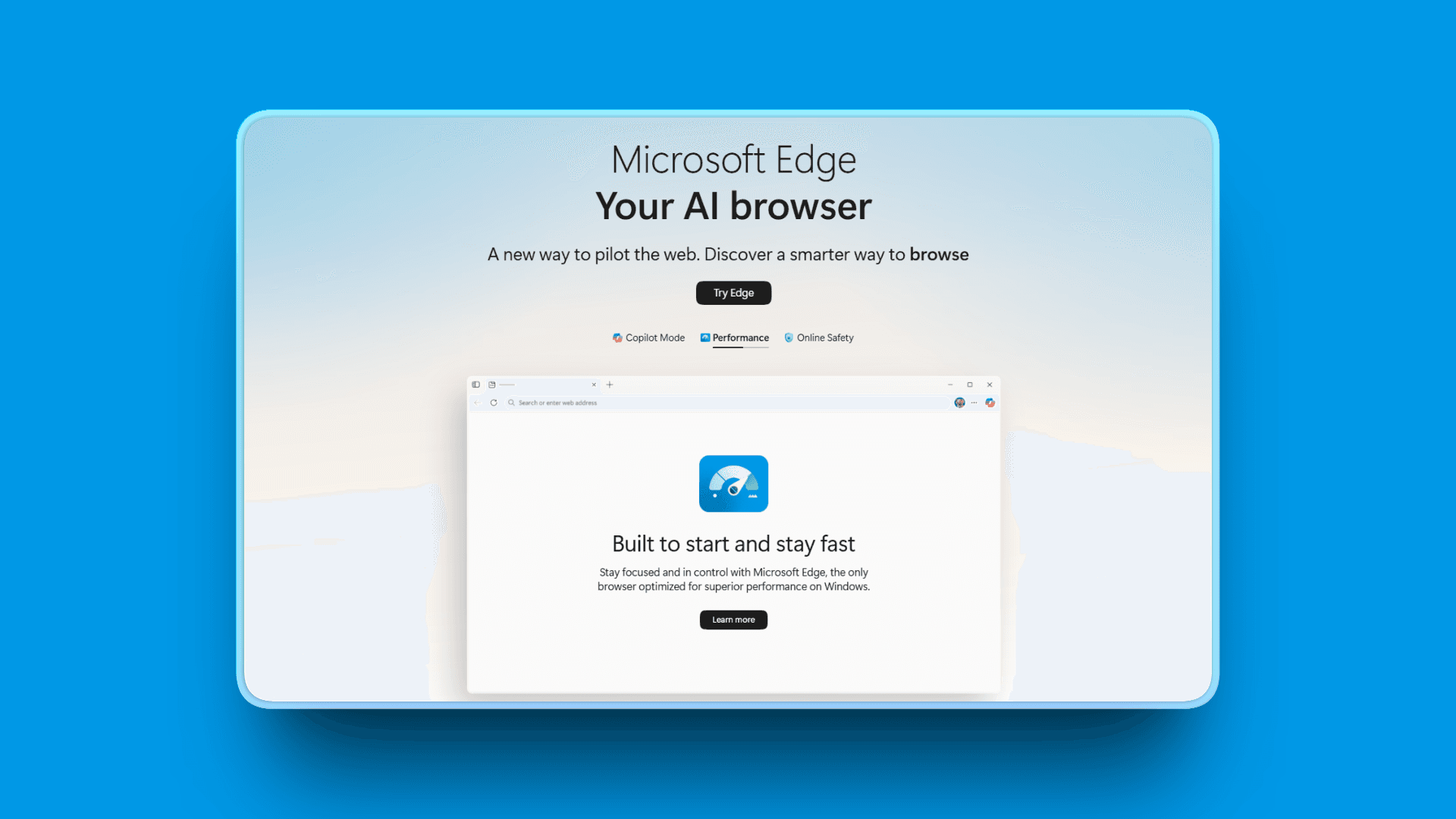
Microsoft Edge is the Chromium-based browser from Microsoft that evolved into a solid Arc alternative with vertical tabs, Split View, Copilot AI features, and extreme stability. Often dismissed as "just another browser," Edge offers reliable performance, cross-platform sync, and AI features that actually work. Free.
Key Features
Copilot AI Mode transforms browsing into an interactive AI-assisted experience
Copilot anticipates needs, automates tasks, provides multi-tab insights
Copilot-Inspired New Tab Page integrates search, chat, files, personalized prompts
Agent Mode automates multi-step workflows on IT-approved sites (requires Microsoft 365 Copilot license)
Vertical Tabs and Workspaces with Tab Search to quickly find open or recently closed tabs
Split View for multiple tabs side-by-side natively
AI-powered tab grouping for related tasks/projects
Pros
Extremely stable - no crashes like Arc experienced
Free with no subscriptions (enterprise features require Microsoft 365 Copilot license)
Cross-platform availability including mobile (Windows, Mac, Linux, Android, iOS)
Integration with Microsoft ecosystem (Office, OneDrive, SharePoint)
Good performance and resource management compared to Arc
Vertical tabs work well out of the box
AI features via Copilot add genuine productivity value
Cons
Bloatware in default installation (can be disabled with tweaking)
Workspaces feel clunky compared to Arc's Spaces (separate windows, not integrated sidebar)
No auto-archive feature
Pinned tabs don't reset to original URL like Arc's
Microsoft tracking concerns for privacy-focused users (similar data collection to Chrome)
Telemetry practices raise concerns among privacy advocates
Pricing
Free - no subscriptions. Enterprise features like Agent Mode require Microsoft 365 Copilot license.
User Reviews
Microsoft Edge receives 4.3/5 star rating on G2, with users praising its separation of profiles, enterprise features, security, and integration with Microsoft applications like Office 365 and SharePoint.
Best For
Users prioritizing stability over innovation
Windows users already in Microsoft ecosystem
Cross-platform users needing seamless sync across all devices
Users who want free, reliable browser without Arc's quirks or mandatory account
Enterprise users with IT requirements and Microsoft 365 integration needs
7. Floorp Browser: Best Open-Source Firefox Alternative
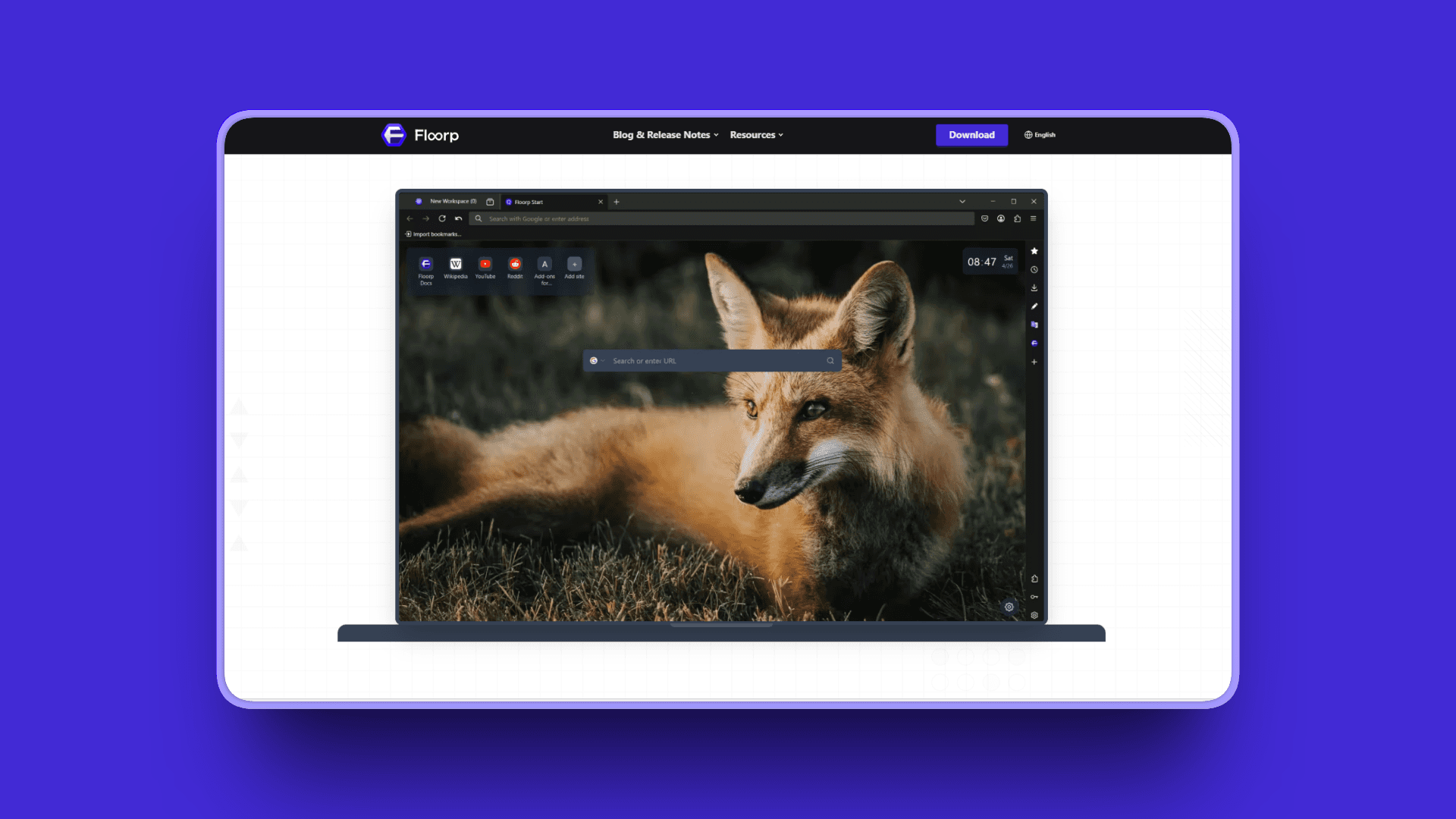
Floorp is the open-source web browser inspired by Mozilla Firefox, designed with emphasis on privacy, adaptability, and user customization. Originating in Japan, Floorp is built on Firefox Gecko engine with workspaces support (Firefox doesn't provide out of box), containerized workspaces, and extensive customization options.
Key Features
Workspaces support with containerized isolation - different login information and settings per workspace
Workspaces accessible from side panel for easy switching
Extensive customization: move top bar, hide title bar, vertical-style and tree-style tabs
Wide array of UI themes with custom CSS support for advanced tweaking
Split Tabs view multiple tabs side-by-side
Custom Mouse Gestures for enhanced navigation
Web Apps on internal Floorp Hub
Built-in Note Integration for productivity work
Pros
Strong privacy features rival Brave (Firefox-based privacy architecture)
Open-source and free (MPL 2.0 license)
Firefox Containers for browsing isolation across different contexts
Custom CSS allows deep customization beyond what Arc offered
Cross-platform (Mac, Windows, Linux) with consistent experience
No account required (sync optional)
Workspaces accessible from side panel similar to Arc's sidebar
Cons
Still rough around edges with occasional bugs
Workspaces require manual renaming (defaults to "New Workspace")
DRM issues - Netflix and similar services may not work without tweaking
Pinned tabs don't reset to original URL like Arc's
Small development team raises sustainability questions
Can feel complicated initially compared to mainstream browsers
Pricing
Free - open-source, no cost.
User Reviews
Floorp is described as a "very popular Web Browser" on AlternativeTo with an incredible 4.8/5 star rating, it is praised for customizability, privacy-focused features, and user-friendly design. Users note it's "considered better than Firefox for both productivity and privacy."
Best For
Privacy purists who want Firefox-level security with Arc-like workspaces
Open-source advocates who value community-driven development
Users comfortable with custom CSS tweaking for personalization
Linux users needing Arc-like features (Arc never supported Linux)
Users who value security and privacy over polish
8. Mozilla Firefox: Best for Privacy and Web Diversity
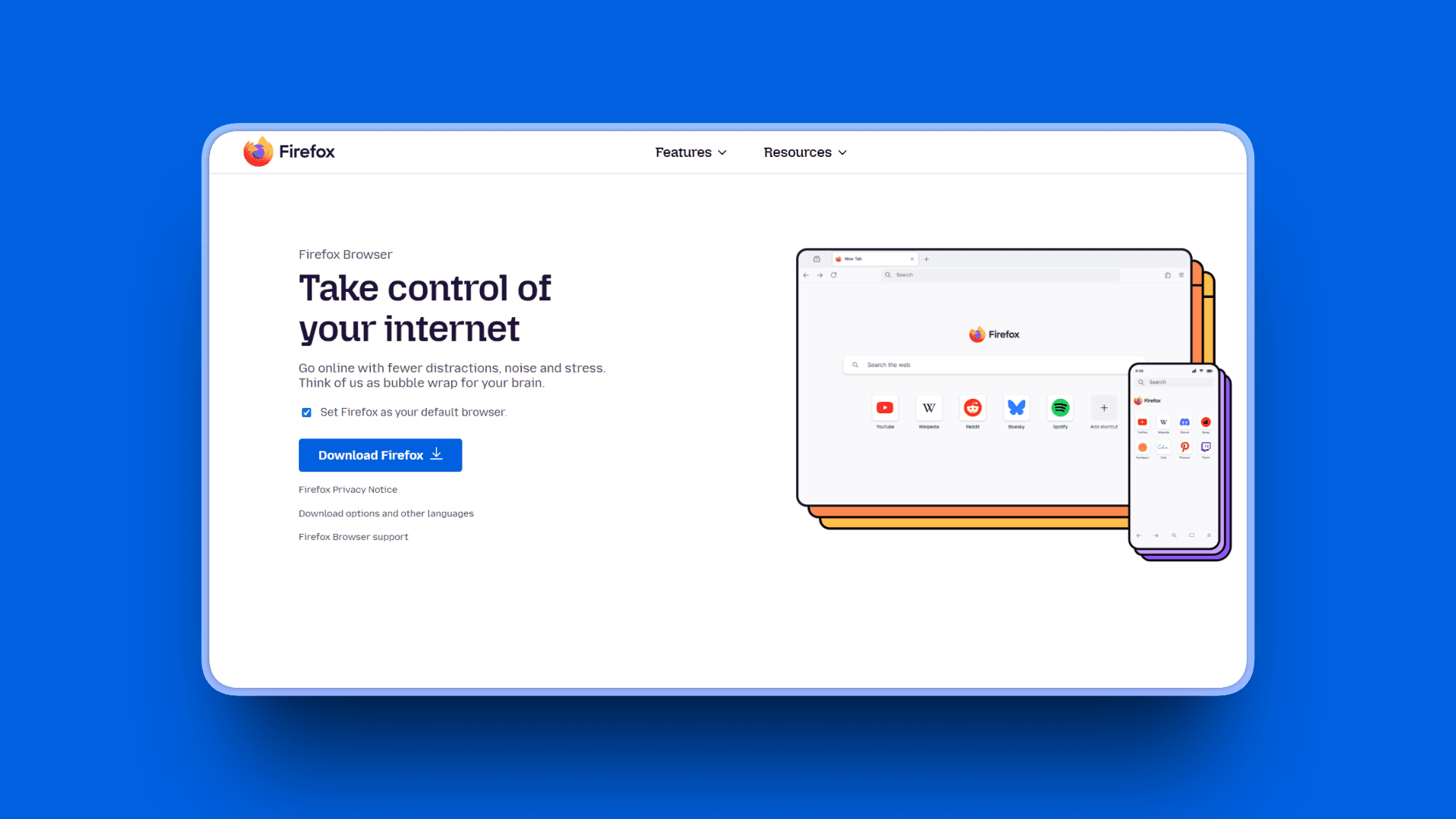
Firefox is the open-source, privacy-focused browser from Mozilla with decades of history. The non-Chromium alternative (Gecko engine) that won't be abandoned like Arc. Free and open-source. Strong privacy, extensive extension ecosystem, and Firefox Containers for unique browsing isolation.
Key Features
Built-in cookie blockers automatically block 2,000+ trackers
Total Cookie Protection isolates third-party cookies without breaking websites
Firefox Containers isolate browsing contexts with separate login information per container
Vertical tabs via extensions (Tree Style Tab, Sidebery) - not native like Arc
Extensive customization with Focus mode, organizing tabs and plugins
Uniquely allows using add-ons in private browsing mode
about:config tweaks for advanced users who want deep control
Pros
Strong privacy and security backed by Mozilla's non-profit mission
Free and open-source with established community
Stable development - won't be abandoned like Arc (Mozilla's long-term commitment)
Firefox Containers unique privacy feature not available in Chrome/Edge
Non-Chromium engine (Gecko) supports web diversity and breaks Google monopoly
Extensive extension ecosystem (smaller than Chrome but high quality)
No account required (sync optional)
Customizable with about:config tweaks for power users
Cons
No native workspaces (requires extensions like Simple Tab Groups)
No Command Bar equivalent built-in
Vertical tabs require extensions (Tree Style Tab, Sidebery) - not native like Arc
No auto-archive without extensions
Less polished out-of-box experience than Arc
High RAM consumption with multiple tabs reported by some users
Pricing
Free - completely free and open-source.
User Reviews
Firefox receives 4.4/5 on G2, with users praising its privacy features, customization options, strong security, effective tracker-blocking and Mozilla's non-profit mission.
Best For
Privacy advocates who trust Mozilla's non-profit mission over corporate browsers
Users wanting non-Chromium browser to support web diversity
Open-source purists who value transparency and community development
Users who value stability over bleeding-edge features (Firefox won't pivot like Arc)
Those comfortable with extension-based customization rather than native features
9. Orion Browser: Best WebKit Browser for Mac
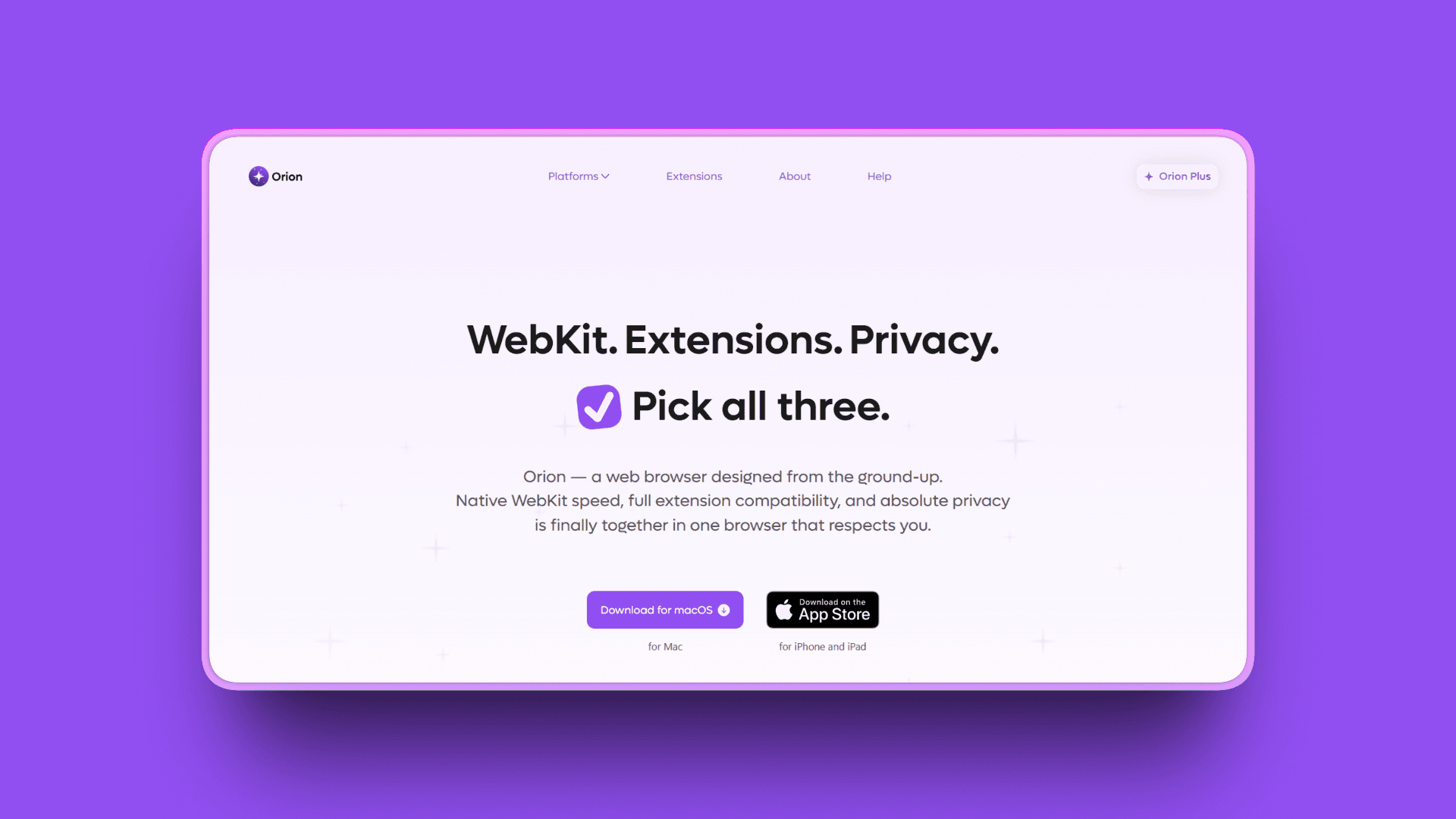
Orion is the privacy-focused browser for Mac from Kagi (the search engine company). Kagi officially released version 1.0 of Orion in November 2025 after six-year beta. Built on WebKit (Safari engine) with dual extension support (Chrome + Firefox), zero telemetry, and Focus Mode.
Key Features
WebKit foundation (Safari engine) works closely with Apple's systems for efficiency
Speedometer 3.1 testing: Orion scored 34.5 average, faster than Safari's 33.5
Zero telemetry - no hidden background data collection
Aggressive anti-tracking and ad-blocking enabled from start
Focus Mode strips away browser interface, turns any website into distraction-free app
Link Preview lets you peek at links from mail or notes without opening new tab
Extension support: compatible with both Chrome and Firefox extensions (dual support)
Vertical tabs and sidebar organization
Comes with 200 free Kagi searches, no account sign-up required
Pros
Excellent battery efficiency on MacBooks (WebKit native to macOS)
Dual extension support (Chrome + Firefox) - unique feature
Privacy-first design with zero telemetry
Fast WebKit performance (scored higher than Safari in Speedometer 3.1)
Free tier available with 200 Kagi searches included
Native Mac integration feels polished
Lifetime license option ($150) for users wanting one-time payment
Cons
Mac/iOS primarily (Linux alpha available for Orion+ subscribers, Windows in development)
Smaller user base and ecosystem than established browsers
No workspaces or Spaces equivalent like Arc
Development pace slower than larger browsers
Some extension compatibility issues despite dual support
Focus Mode and Link Preview nice but not as sophisticated as Arc's features
Pricing
Free: Completely free to download and use, comes with 200 free Kagi searches, no account sign-up required
Orion+ Subscription: $5/month, $50/year, or $150 lifetime license
Orion+ Features: Floating windows (stay on top), advanced icon customization, early access to experimental updates
User Reviews
Orion has a 4.8/5 stars ratng on Product Hunt and is praised for being a "Surprisingly good alternative to Safari". Users also liked its privacy-centered performance.
Best For
Mac users prioritizing battery life above all else
Privacy advocates who want extension flexibility
Users who prefer WebKit over Chromium/Gecko engines
Those who value native macOS integration and efficiency
Safari users wanting more features without switching to Chromium
10. Google Chrome: Best for Extension Compatibility

Google Chrome is the most widely-used browser globally. Chromium-based (it IS Chromium), with the largest extension ecosystem (200,000+), extremely stable, free, and maximum compatibility. Often the "default" choice, with vertical tabs now in experimental testing in Chrome Beta and Canary builds.
Key Features
Tab Groups feature for organizing tabs by project/context
"Search tabs" button beside minimize drops down menu of all open tabs
Largest library of browser extensions (200,000+ in Chrome Web Store)
2025 top extensions are AI-focused: Monica and Sider combine chat, summarization, writing tools
Gemini AI integration built right into browser for productivity
Split-Window Tabs feature (new for 2025-2026)
Deep integration with Google services (Drive, Docs, Gmail) with seamless sync
Vertical tabs coming to stable release (currently in Chrome Canary experimental)
Pros
Maximum extension compatibility (200,000+ extensions, all Chromium browsers inherit)
Extremely stable and reliable (rarely crashes unlike Arc)
Best cross-platform sync across all devices (Windows, Mac, Linux, Android, iOS, ChromeOS)
Integration with Google services (Drive, Docs, Gmail) seamless for Google ecosystem users
Familiar to everyone - no learning curve, no adaptation period
Free with no subscriptions or paywalls
Cons
No vertical tabs natively (experimental feature available in Chrome Beta/Canary, stable release date uncertain)
No workspaces feature like Arc Spaces
High RAM usage (often worse than Arc, notorious for memory consumption)
Privacy concerns - Google tracking and data collection
No Command Bar or advanced keyboard-first features like Arc
Feels like regression after Arc's innovation (back to basic browser)
Pricing
Free - no cost.
User Reviews
Google Chrome is widely reviewed across multiple platforms, with users praising its speed, extension compatibility, and cross-platform sync. Chrome Enterprise is featured on G2 and receives 4.7/5 stars with positive enterprise reviews.
Best For
Users who need maximum extension compatibility (specific Chrome-only extensions)
Those deeply invested in Google ecosystem (Drive, Docs, Gmail, Photos)
Users prioritizing stability and familiarity over innovation
Cross-platform users who need reliable sync across every device type
Users who don't want to relearn browsing or adapt to new paradigms
Quick Comparison: Best 10 Arc Alternatives
Tool | Platform | AI Features | Standout Feature | Best For |
|---|---|---|---|---|
Kosmik | Mac, Windows, Web | Auto-tagging, visual search | Built-in browser + infinite canvas | Visual thinkers, researchers |
Zen Browser | Windows, Mac, Linux | None | Most Arc-like open-source experience | Cross-platform Arc replacement |
SigmaOS | Mac only | Airis AI (tab renaming, summarization) | Arc migration tool, Mac-optimized | Mac productivity users |
Vivaldi | Windows, Mac, Linux, Mobile | None | Extreme customization, VivalArc theme | Power users, tinkerers |
Brave | Windows, Mac, Linux, Mobile | Leo AI chatbot | Privacy-first with Tor integration | Privacy advocates |
Microsoft Edge | Windows, Mac, Linux, Mobile | Copilot Mode, Agent Mode | AI features + Microsoft integration | Stability, enterprise users |
Floorp | Windows, Mac, Linux | None | Open-source Firefox + workspaces | Privacy + customization |
Firefox | Windows, Mac, Linux, Mobile | None | Best privacy, Containers | Privacy, web diversity |
Orion | Mac, iOS | None | Dual extension support, zero telemetry | Mac battery life, privacy |
Chrome | All platforms | Gemini AI | Largest extension ecosystem | Extension compatibility |
How to Choose the Right Arc Browser Alternative
What's your primary use case?
Visual research and creative work? Choose Kosmik. Built-in browser + infinite canvas means zero app-switching. AI auto-tagging organizes automatically. Best for designers, researchers, and visual thinkers. Explore Kosmik's use cases to see how it works for different workflows.
Want the closest Arc experience? Choose Zen Browser (cross-platform, free, open-source) or SigmaOS (Mac only, $20/month, easiest migration).
Need extreme customization? Choose Vivaldi. Free forever, power user features, VivalArc theme available.
Privacy is non-negotiable? Choose Brave (privacy + performance) or Firefox (non-Chromium, Containers).
What's your platform?
Mac only: SigmaOS, Orion, or Kosmik work best. All optimized for macOS.
Windows: Zen Browser, Vivaldi, Edge, Brave, Floorp, Firefox, Chrome all work great.
Linux: Zen Browser, Vivaldi, Brave, Floorp, Firefox. (Arc never supported Linux.)
Need mobile sync: Edge, Brave, Firefox, Chrome, Vivaldi all have mobile apps.
What's your budget?
Free: Zen Browser, Vivaldi, Brave, Edge, Floorp, Firefox, Chrome, Orion (free tier).
Freemium: Kosmik (1-week free trial, then $11.99/month yearly), Orion ($5/month for Orion+).
Premium: SigmaOS ($20/month for Personal Pro with unlimited AI).
What features are non-negotiable?
Vertical tabs: Zen, SigmaOS, Vivaldi, Edge, Brave (basic), Orion. Firefox/Floorp via extensions.
Workspaces/Spaces: Zen, SigmaOS, Vivaldi, Edge, Floorp. Kosmik uses a different paradigm (infinite canvas).
Command Bar/keyboard navigation: SigmaOS (Lazy Search), Vivaldi (Quick Commands), Edge (Tab Search).
AI features: Kosmik (auto-tagging, visual search), SigmaOS (Airis), Edge (Copilot), Brave (Leo), Chrome (Gemini).
Privacy-first: Brave, Firefox, Zen, Floorp, Orion.
No account required: Brave, Firefox, Vivaldi, Zen, Floorp. (Arc required mandatory sign-in.)
Use-Case Cheat Sheet
You're a designer collecting inspiration for client projects. Best choice: Kosmik because built-in browser + infinite canvas lets you organize moodboards visually without tab chaos. AI visual similarity finds related inspiration automatically.
You're a researcher managing 50+ academic sources. Best choice: Kosmik for visual organization or Firefox with Tree Style Tab extension for hierarchical tab management and privacy. For AI-powered research tools beyond browsers, explore our guide to the best AI research tools.
You loved Arc on Mac and want easiest migration. Best choice: SigmaOS with Arc migration tool imports everything in one click. Familiar workflow, Command Bar, $20/month.
You're on Windows and frustrated Arc abandoned your platform. Best choice: Zen Browser for most Arc-like experience or Vivaldi with VivalArc theme for customization.
You need cross-platform consistency (Mac + Windows + Linux). Best choice: Zen Browser (free, open-source), Vivaldi (extreme customization), or Firefox (privacy-first).
You're privacy-conscious and distrust Big Tech browsers. Best choice: Brave (privacy + performance), Firefox (non-Chromium), or Zen Browser (Firefox-based).
You want a free Arc alternative without subscriptions. Best choice: Zen Browser (most features), Vivaldi (customization), Brave (privacy), or Firefox (stability).
You're willing to pay for the best productivity experience. Best choice: Kosmik ($11.99/month for visual workspace) or SigmaOS ($20/month for Mac-optimized productivity).
You need AI features to organize research automatically. Best choice: Kosmik (AI auto-tagging, visual search) or Edge (Copilot Mode for multi-tab insights).
You value battery life on MacBook above all else. Best choice: Safari (not covered here), Orion (WebKit-based), or Brave (efficient ad-blocking).
Frequently Asked Questions
About Arc's Discontinuation
What happened to Arc browser?
Arc was discontinued in May 2025. The Browser Company stopped feature development to build Dia, an AI browser. Arc still works and gets security updates, but no new features. Atlassian acquired The Browser Company for $610 million in September 2025.
Why did Arc browser shut down?
Arc shut down due to poor user retention and no revenue model. CEO Josh Miller said Arc was "too different" with too much learning curve for too little reward. Arc relied entirely on investor funding (raised $128 million total across multiple rounds) and failed to reach mass adoption needed to sustain itself.
Is Arc browser still being updated?
Arc receives only Chromium security updates, no feature development. The Browser Company stopped active development in May 2025. You'll get security patches but no new features or bug fixes. The Windows version remains incomplete and won't be finished.
Will Arc browser be open sourced?
No. Arc is built on an internal SDK that Dia also uses. Open-sourcing Arc would expose proprietary technology needed for Dia. The Browser Company may revisit this decision later, but no timeline exists.
Finding the Best Alternative
What is the best alternative to Arc browser?
It depends on your use case. Kosmik is best for visual thinkers needing a browser plus workspace. Zen Browser offers the closest Arc-like experience on all platforms. SigmaOS is best for Mac productivity ($20/month). Vivaldi is best for power users wanting customization. Choose based on visual organization, Arc features, platform, or control needs.
Is Zen browser better than Arc?
Zen matches many Arc features (vertical tabs, workspaces, split view) and adds benefits: open-source, free, cross-platform, privacy-focused Firefox base. However, Zen lacks Command Bar and native auto-archive. It's better for users wanting Arc experience without abandonment risk, though still in beta with occasional bugs.
Which browser is most like Arc?
Zen Browser is most like Arc with vertical sidebar, workspaces, pinned tabs that reset, Glance windows, and split view. For visual thinkers, Kosmik offers an evolved alternative with a built-in browser plus infinite canvas. SigmaOS (Mac only) closely mimics Arc's productivity focus with Command Bar and workspaces.
Is SigmaOS a good Arc replacement?
Yes for Mac users who valued productivity. SigmaOS has sidebar, workspaces, Command Bar, locked tabs, Mini Windows, and imports Arc data automatically. However, it's Mac-only, costs $20/month, and lacks auto-archive. Best for Mac users willing to pay for premium productivity.
Features and Compatibility
What browsers have vertical tabs like Arc?
Zen Browser, SigmaOS, Vivaldi, Brave, Edge, Floorp, Firefox (extensions), and Orion all support vertical tabs. Zen offers the most Arc-like vertical sidebar. Edge and Vivaldi have native vertical tabs. Firefox needs Tree Style Tab or Sidebery extensions. Chrome is testing vertical tabs in Beta/Canary (as of early 2026), with stable release date still unconfirmed.
Do any browsers have Arc's auto-archive feature?
No browser natively replicates Arc's auto-archive. Zen Browser and Floorp can approximate it using the Dustman extension, which auto-closes inactive tabs after 20 minutes. It's not as polished as Arc's implementation. Most users must manually manage tabs or accept buildup.
What Arc alternatives work on Windows?
Zen Browser (closest Arc-like), Kosmik (visual workspace), Vivaldi (power users), Edge (stability), Brave (privacy), Floorp (open-source), and Firefox (privacy). SigmaOS and Orion are Mac-only. Zen offers the most faithful Arc experience on Windows.
Use Cases
What is the best browser for productivity after Arc?
For traditional browser productivity, SigmaOS (Mac) offers most Arc-like workflow with Command Bar and AI. For cross-platform, Vivaldi provides extensive customization. For visual thinkers, Kosmik combines browser plus infinite canvas. Choose based on platform and whether you need a traditional browser or workspace hybrid.
Free and Paid Options
Is there a free Arc browser alternative?
Yes, several free alternatives exist. Zen Browser is the top free option with vertical tabs, workspaces, and split view across all platforms. Vivaldi and Brave are also completely free. Firefox and Floorp provide free, open-source options. Most free alternatives match Arc's core features without the mandatory account Arc required.
What is Dia browser and should I use it instead of Arc?
Dia is the AI-first browser The Browser Company built after stopping Arc development. As of early 2026, Dia remains in limited availability and focuses on AI assistance rather than Arc's workspace and tab organization. For users who valued Arc's vertical tabs and Spaces, Zen Browser, SigmaOS, or Kosmik are better replacements. For more on Dia, see our guide to Dia browser alternatives.
Platform-Specific Questions
What is the best Arc alternative for Linux?
Zen Browser is the best Arc alternative for Linux with native vertical tabs, workspaces, and split view. Vivaldi offers extreme customization on Linux. Firefox and Brave work reliably on Linux with strong privacy protection. Floorp provides a Firefox-based option with workspace support. Arc never officially supported Linux, so these alternatives represent a genuine improvement for Linux users.
Final Thoughts
Arc Browser promised to reimagine browsing. For thousands of users, it delivered. Then The Browser Company abandoned it to chase AI trends, leaving loyal users scrambling for alternatives.
The good news? Better options exist. Kosmik goes beyond what Arc offered by eliminating the core problem Arc never solved: constant app-switching. Research, notes, files, browsing - everything lives on one infinite canvas. Press 'W' to browse without leaving your workspace. AI auto-tagging organizes automatically. Visual similarity search connects ideas you'd never find with traditional search.
For users who want traditional browsers, Zen Browser delivers Arc's best features (vertical tabs, workspaces, split view) without the abandonment risk. SigmaOS gives Mac users the closest Arc workflow with easy migration. Vivaldi offers extreme customization for power users. Brave prioritizes privacy. Edge delivers stability and AI features.
Get started with Kosmik and build your first visual research board today. Zero app-switching, infinite organization, AI-powered tagging - all in one place.