August 23, 2025
Best Pinterest alternatives for Creatives


TL;DR: The best Pinterest alternatives for 2026 are Kosmik (AI-powered private research with auto-tagging and built-in browser), Are.na (minimalist community curation), and Dribbble (creative community feedback).
—
If you've opened Pinterest lately, you've probably noticed the same frustrating patterns that are driving creators away. Your feed is packed with ads between every few pins. The algorithm keeps showing you the same recycled content instead of fresh ideas for your actual projects. And don't get started on the broken links and AI-generated spam that makes research feel like a waste of time.
Sound familiar?
Creators on Reddit are calling Pinterest "unusable" because of these exact problems.
Here's what's really happening: Pinterest has shifted from a tool that helped you discover and organize inspiration to a platform that prioritizes advertising revenue over user experience.
Pinterest's official 2024 financial reports show the platform achieved its first billion-dollar revenue quarter ($1.154 billion in Q4 2024), but this aggressive monetization comes at the cost of user experience. The result? Your creative flow gets interrupted, your research takes longer, and you end up with boards full of content that doesn't actually inspire your work.
What you really want is simple: A clean space to collect ideas privately. Reliable links that don't break. Smart organization that lets you find things later. And maybe some AI help to speed up the whole process.
That's exactly what we'll cover in this pinterest alternative guide.
Top Picks
Don't have time to read the whole comparison? Here is the quick summary:
Best for Ad-Free Curation & Organization: Kosmik (auto-tagging, proactive discovery, 1 week free trial)
Best minimalist, community-curation alternative: Are.na (channels, member-supported)
Best for creative community & feedback: Dribbble (design showcase, community feedback)
Try Kosmik for free and experience AI-powered inspiration gathering without the ads and algorithmic noise.
Why Creatives Are Switching from Pinterest?
Creatives are switching from Pinterest due to consistent complaints about ad overload, algorithmic issues, and content quality problems across design communities and forums. Here's what's pushing people away:
Ad overload is breaking the flow. Users report seeing ads every few pins, which makes it hard to stay focused on your creative process. When you're trying to build a cohesive mood board, according to Nielsen Norman Group research on attention economy, constant interruptions kill your momentum.
The algorithm has lost its way. Pinterest used to surface fresh, relevant content based on your interests. Now, many users feel stuck in repetitive loops where the same pins appear over and over, regardless of what they're actually working on.
Content quality has dropped. AI-generated images without proper attribution, broken links, and misattributed content make Pinterest feel unreliable for professional research. When you're presenting ideas to clients, you need sources you can trust.
Privacy concerns are growing. Many creators want to keep their research private, especially when working on confidential projects. Pinterest's social nature doesn't always align with professional needs.
The bottom line? Pinterest optimized for engagement and ads instead of the focused, reliable inspiration tool that creatives actually need.
So what should you look for in a Pinterest alternative that actually solves these problems?
What to Look for in a Pinterest Alternative?
When you're evaluating alternatives, focus on features that solve Pinterest's biggest problems:
Fast capture without breaking your flow. Look for tools with built-in browsers or web clippers that let you save inspiration without switching between tabs.
Automatic organization that actually works. The best alternatives use AI to tag your content automatically by objects, colors, subjects, even mood. This turns your inspiration boards into searchable knowledge bases instead of pretty but useless grids.
Proactive discovery of related content. Instead of hoping the algorithm serves you relevant content, look for tools that actively find related images and links based on what you've already saved.
Ad-light or member-supported models. Make sure platforms offer ad-free experience.
Powerful search capabilities. You should be able to find your saved content by color, tags, full-text, or AI-powered semantic search. Look for tools that make your past research instantly accessible.
Privacy and collaboration controls. Professional work often requires private boards that you can selectively share with team members or clients. Make sure your alternative handles permissions properly.
Based on these criteria, here are the best Pinterest alternatives for 2026, ranked by overall value for creative professionals.
7 Best Pinterest Alternatives
These Pinterest alternatives offer ad-free experiences, better organization, and privacy controls that address Pinterest's core problems with advertising, algorithmic manipulation, and content quality.
1. Kosmik (Best for Ad-Free Curation & Organization)
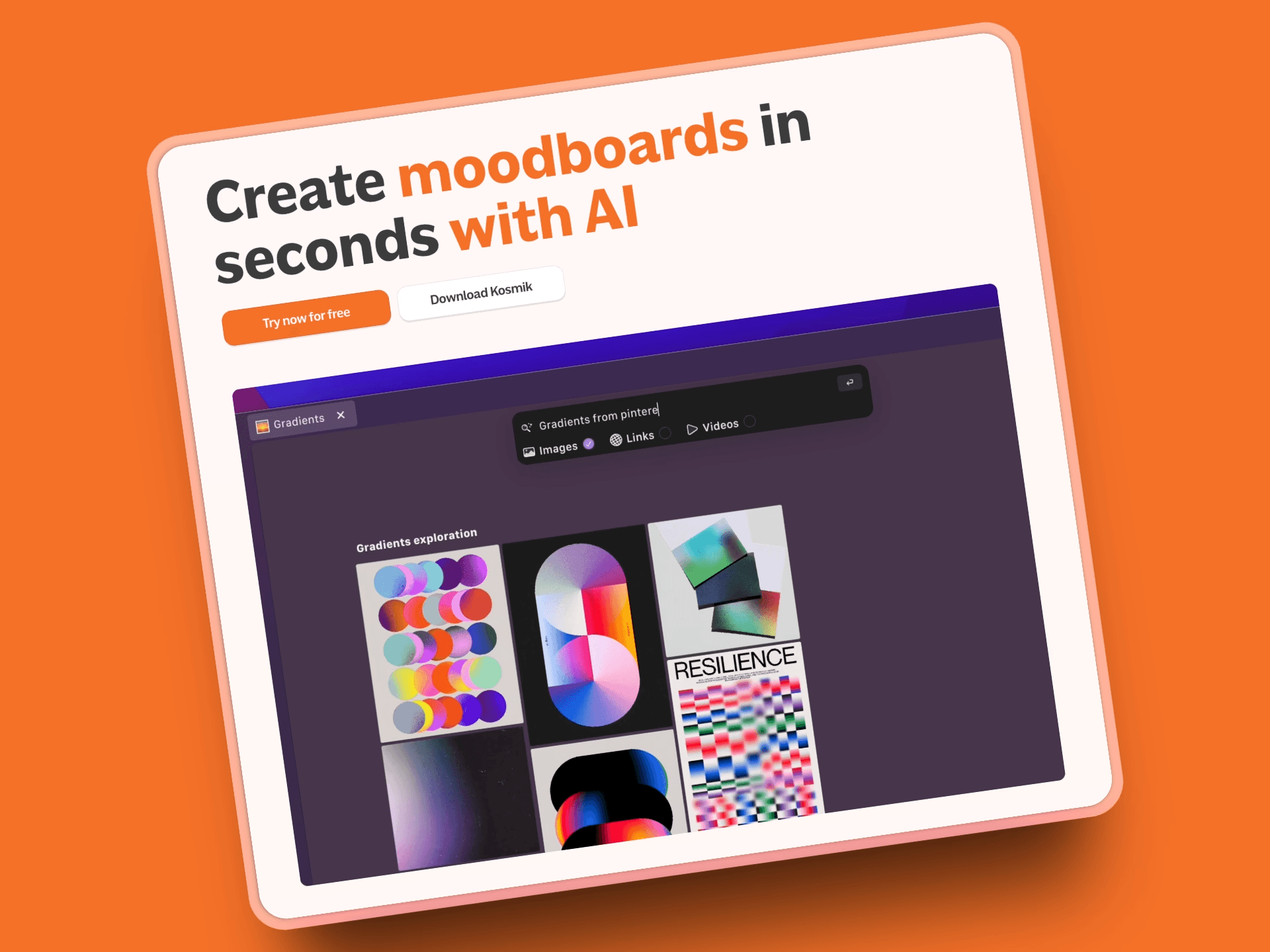
Kosmik is a visual research and moodboarding platform that feels like having an AI research assistant. It comes with a built-in browser and web clipper, automatically tags everything you save, and proactively finds related content based on what's already on your canvas.
Pros:
AI-powered search that understands concepts, not just keywords
Automatic tagging for objects, colors, subjects, and themes
AI Asset Finder proactively discovers related content from YouTube, Pinterest, and web sources
Built-in browser eliminates tab-switching during research
Frames feature for visually organizing canvas content into sections
Drawing tools (Pen, Marker, Eraser) for PDF annotation and visual notes
Full multimedia support including videos, PDFs, images, and web content
Private by default with selective sharing options
Backlinked sources maintain attribution and reliability
1 week free trial with full Pro features
Cons:
Newer platform means smaller community compared to established networks
Less social discovery (though this is intentional for focus and privacy)
Pricing:
1 week free trial with full Pro features; Pro plan $11.99/month (billed yearly) or $14.99/month (billed monthly); Ambassador plan $16.99/month (coming soon with Figma integration and advanced features)
Best For:
Designers, art directors, and creative teams who value private, searchable inspiration with AI assistance. Perfect if you're tired of Pinterest's noise and want a focused research environment. Learn how to make a mood board with Kosmik's infinite canvas and AI features.
2. Are.na (Best Minimalist, Community Curation)
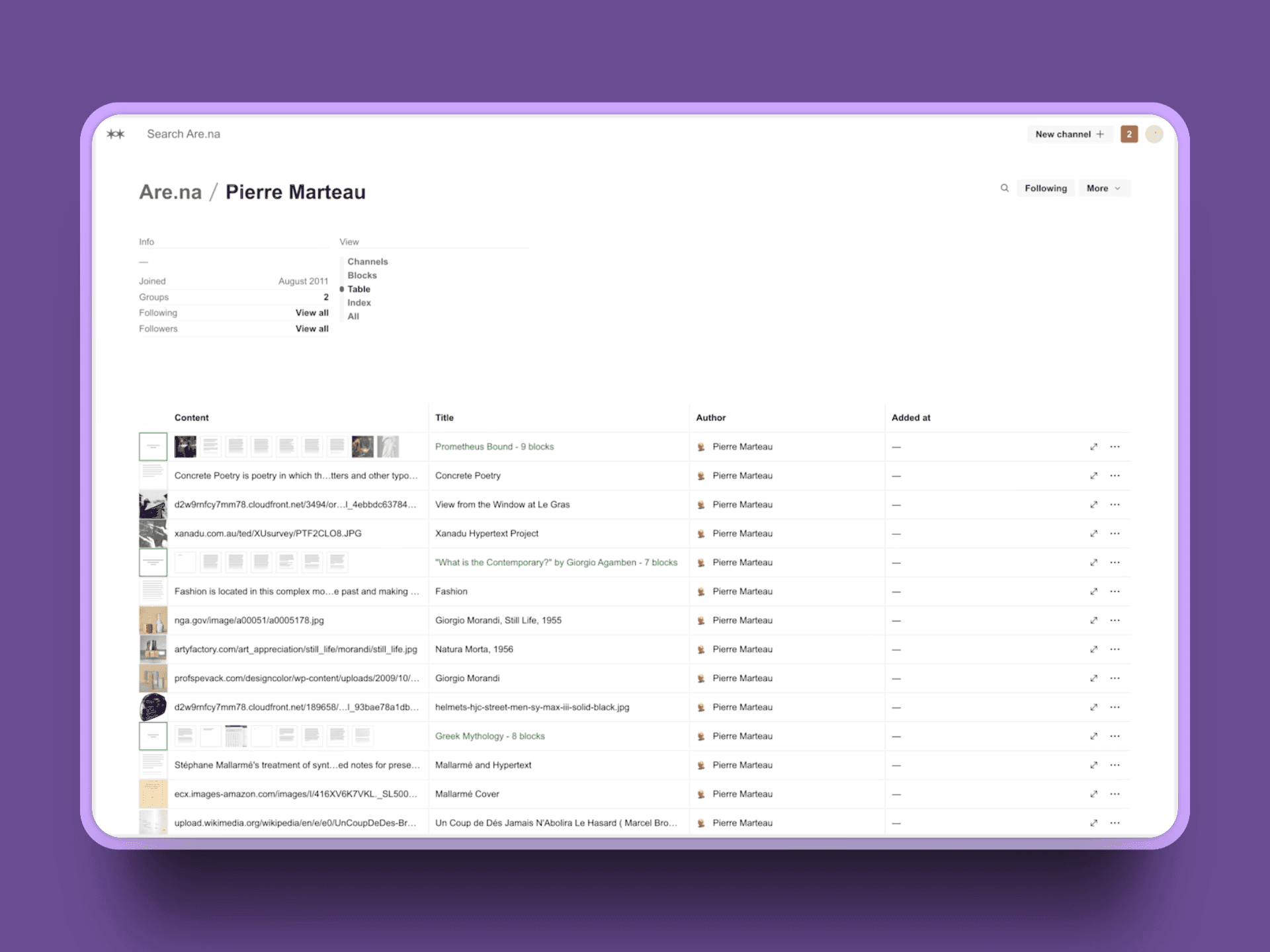
Are.na takes a deliberately slow, thoughtful approach to collecting ideas. It's built around "channels" where you can save and organize content, with a strong community of creatives sharing knowledge without algorithmic manipulation.
Pros:
Clean, distraction-free interface designed for deep thinking
Member-supported model means no ads or engagement algorithms
Collaborative channels let you build knowledge with others
Guest accounts let you try before committing
Strong community of artists, designers, and researchers
Cons:
Less automated organization compared to AI-powered tools
No algorithmic discovery by design (pro or con depending on your needs)
Free tier limited to 200 blocks
Pricing:
Free up to 200 blocks; Premium $7/month or $70/year for unlimited private content
Best For:
Creatives who want a calm, contemplative space to build reference libraries and think through ideas without digital noise.
3. Milanote (Best for Structured Mood Boards & Templates)
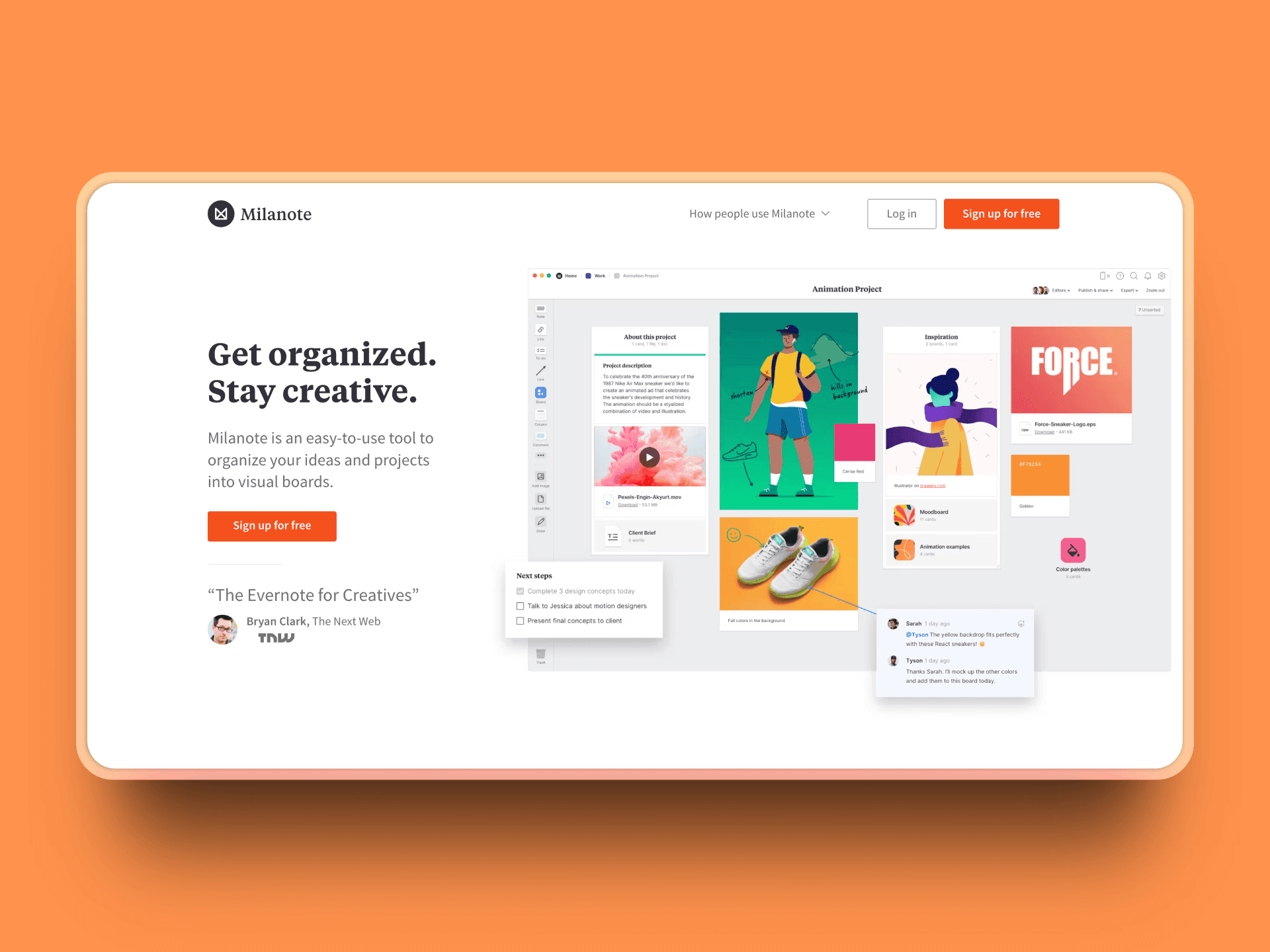
Milanote positions itself as "Evernote for creatives" with visual boards that support mixed media. It shines with ready-made templates for branding, fashion, motion design, and other creative disciplines.
Pros:
Professional templates save setup time for common project types
Visual boards handle images, text, links, and files seamlessly
Easy sharing and client presentation features
Mobile apps keep your boards accessible anywhere
Cons:
Free tier caps the number of items and uploads
Collaboration features are priced per person
Less discovery-focused than research-heavy alternatives
Pricing:
Free tier available; Pro $9.99/month billed annually (or $12.50 monthly)
Best For:
Brand, marketing, and design teams who want polished mood boards with professional templates right out of the box.
4. Dribbble (Best for Creative Community & Feedback)
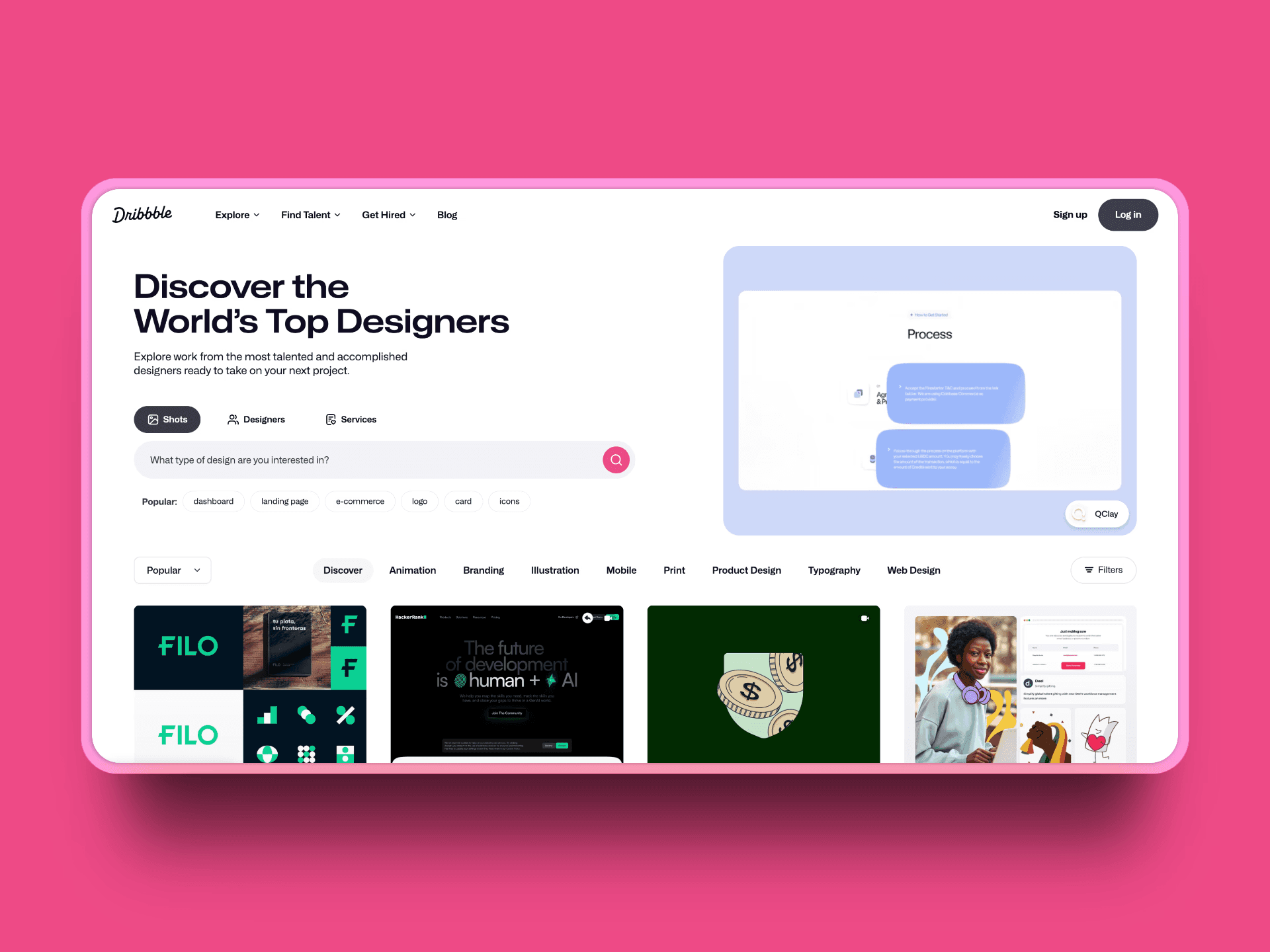
Dribbble is a vibrant community platform where designers showcase their work and discover inspiration. Unlike Pinterest's algorithm-driven feed, Dribbble offers curated, high-quality design work from professional creatives, plus the ability to get feedback on your own projects.
Pros:
High-quality, curated design work from professional creatives
Active community providing feedback and engagement on your work
Advanced search filters by color, tags, and design categories
Job board and freelance opportunities
"Shots" format encourages polished, portfolio-worthy content
Cons:
More focused on finished work than raw inspiration or research
Pro features required for advanced portfolio customization
Can feel intimidating for beginners due to high-quality standards
Less suitable for private research and mood boarding
Pricing:
Free with basic features; Pro $8/month billed annually
Best For:
Designers who want to discover high-quality work, build their professional network, and get feedback from the creative community.
5. Raindrop.io (Best for Power Bookmarking with Visuals)
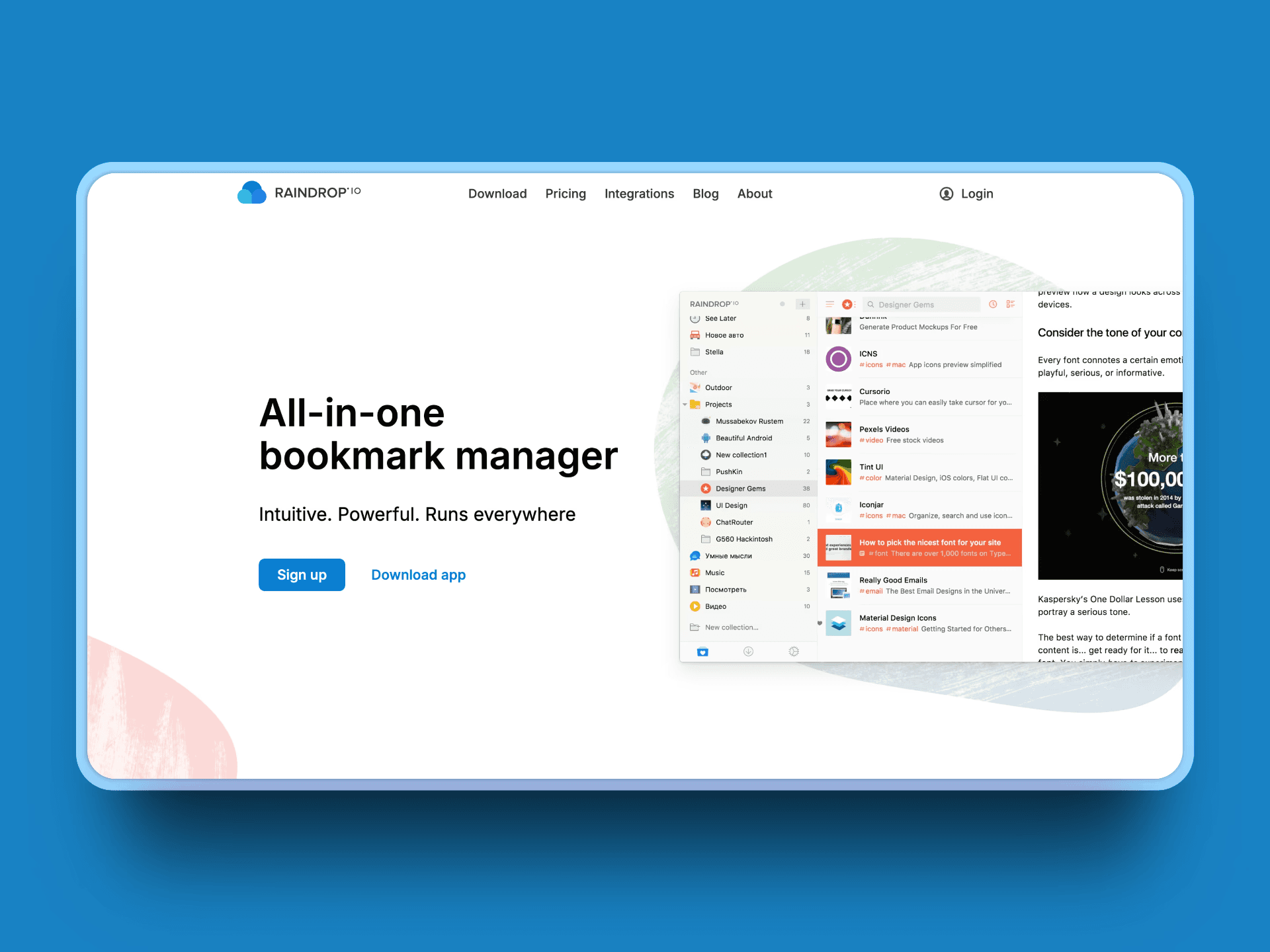
Raindrop.io is a comprehensive bookmarking tool that adds visual previews and powerful organization features. It promises "no ads & trackers" and offers unlimited bookmarks and collections even on the free plan.
Pros:
Unlimited bookmarks and collections across all devices
Visual cover views make bookmark collections more Pinterest-like
Pro version adds full-text search and permanent copies of pages
Nested organization and tagging system for complex research
Strong collaboration features for shared collections
Cons:
More focused on link organization than visual mood boarding
Interface is functional rather than inspiring
Pricing:
Free forever plan; Pro version ($29 yearly) adds full-text search, permanent copies, and cloud backup
Best For:
Researchers and designers who save lots of URLs and want a visual yet structured way to organize their digital library.
6. Designspiration (Best for Color-Led Discovery & Quick Mood Boards)
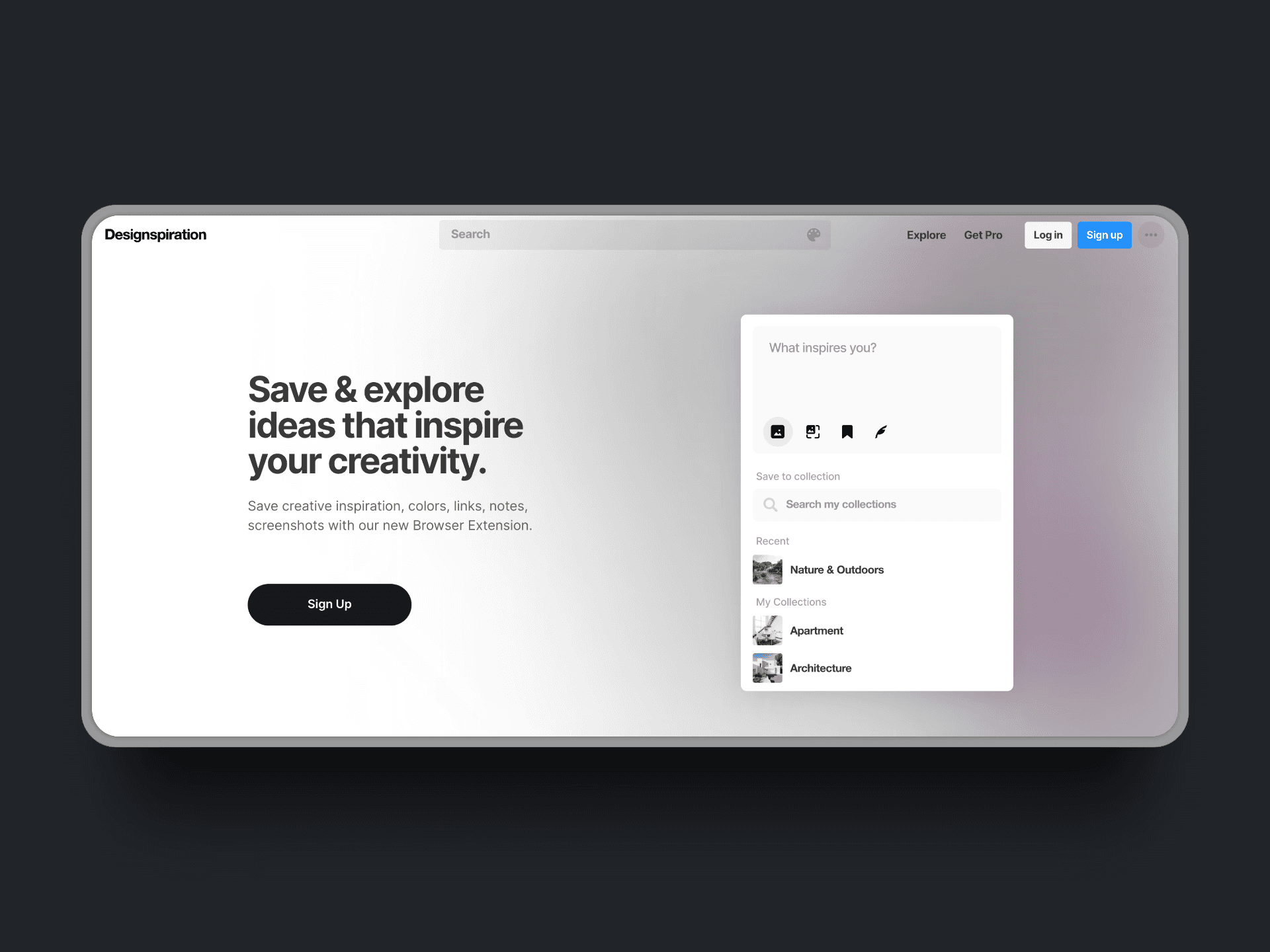
Designspiration is an image and color search engine that excels at helping you discover content through color palettes. The Pro version unlocks "Visions," their mood board creation tool, plus an ad-free experience.
Pros:
Deep color search capabilities perfect for design work
Curated collection of high-quality design inspiration
Visions mood board tool is lightweight and fast
Strong focus on visual design rather than mixed content
Cons:
Pro subscription required for mood board creation and ad-free experience
Less emphasis on source attribution and research workflows
More limited than comprehensive creative research tools
Pricing:
Free forever plan; Pro from $5/month
Best For:
Designers who ideate primarily through color and want super-fast visual board creation without research complexity.
7. Behance (Best for Portfolio-Grade Inspiration & Network)
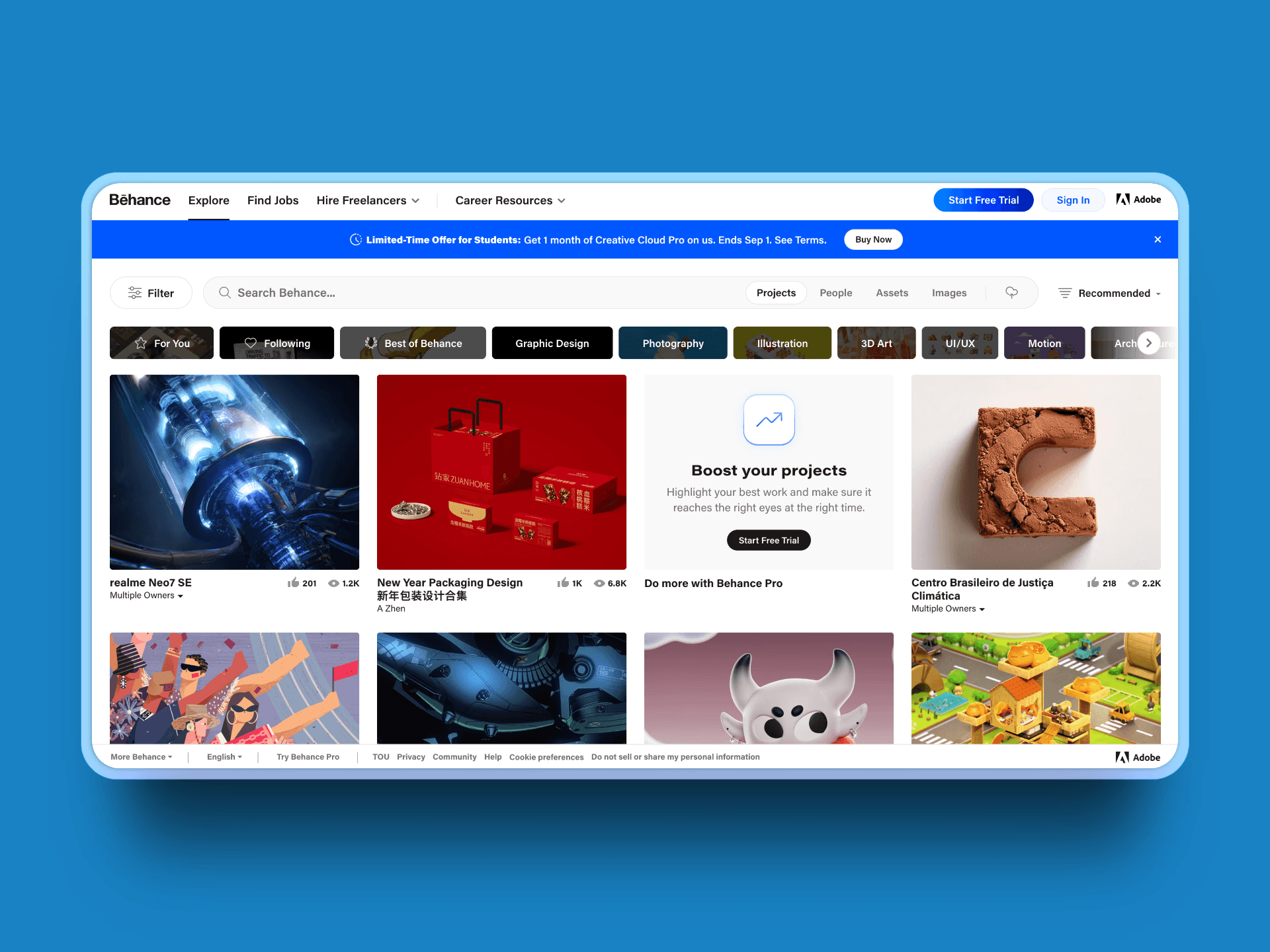
Adobe's Behance serves dual purposes: showcasing your own work and discovering inspiration from other creatives. It's less about private research and more about community and professional networking.
Pros:
Massive network of professional creatives and high-quality work
Discovery tools let you search by field, colors, and creative tools used
Job listings and networking opportunities
Integration with Adobe Creative Cloud
Live streaming and community features
Cons:
Not designed as a private research or mood boarding tool
Discovery tends toward polished case studies rather than raw inspiration
Social networking aspects may not fit private research needs
Pricing:
Free for core features; Behance Pro starts at $9.99/month
Best For:
Designers who want inspiration combined with portfolio hosting and visibility to potential clients and collaborators.
Quick Comparison of Alternatives
Here's how the tools stack up side by side:
Tool | Best For | Key Features | Ad-Free |
|---|---|---|---|
Kosmik | Private AI-assisted research and mood boarding | AI search, auto-tagging, AI Asset Finder, built-in browser, Frames, Drawing tools, multimedia support, 1 week free trial | Yes |
Are.na | Minimalist curation | Channel organization, member-supported, collaborative | Yes |
Milanote | Structured mood boards | Professional templates, visual boards, client sharing | Yes |
Dribbble | Creative community & feedback | Design showcase, community feedback, job board | No |
Raindrop.io | Power bookmarking | Unlimited bookmarks, full-text search, visual organization | Yes |
Designspiration | Color-based discovery | Advanced color search, Visions mood boards | Yes |
Behance | Portfolio + inspiration | Creative network, job listings, Adobe integration | Yes |
How to Choose the Right Pinterest Alternative?
Your choice depends on what frustrated you most about Pinterest:
If you need private, AI-powered research → Choose Kosmik. Its auto-tagging, AI search, and proactive discovery solve Pinterest's organization and relevance problems.
If you want minimalist, ad-free curation → Try Are.na. Its member-supported model and slow-web philosophy create a calm alternative to Pinterest's chaos.
If templates and structured boards matter most → Go with Milanote. Its professional templates and polished sharing features work great for client presentations.
If your content is mostly links, videos, and articles → Consider Raindrop.io. It excels at organizing and sharing link-heavy collections with visual previews.
If your ideation starts with color → Designspiration offers the strongest color-based discovery tools.
If you want community feedback and professional networking → Dribbble combines high-quality inspiration with an active creative community.
If you need portfolio hosting plus inspiration → Behance combines both, though it's less private than research-focused alternatives.
Frequently Asked Questions
What's the best Pinterest alternative for private mood boarding?
Kosmik stands out for private research because it's built around focused, AI-assisted capture and organization. Unlike Pinterest's social features, Kosmik keeps your work private by default while using AI to auto-tag content and suggest related materials.
Is there an ad-free Pinterest alternative?
Several options avoid Pinterest's ad problem: Are.na is member-supported rather than ad-driven, Designspiration Pro offers an ad-free experience, Raindrop.io promises "no ads & trackers" and Kosmik is 100% ad-free platform.
Which alternative has the best color-based discovery?
Designspiration offers the most sophisticated color search tools. Their Pro version includes the Visions mood board tool specifically designed for color-driven creative work.
I need bookmark-level organization with full-text search, what should I pick?
Raindrop.io provides unlimited bookmarks and collections with Pro-level full-text search and permanent copies. It's the most comprehensive option for organizing link-heavy research.
Which Pinterest alternative supports video content for creative projects?
Kosmik stands out for multimedia support, handling videos, PDFs, images, and web content in a single workspace. Unlike Pinterest's focus on static images, Kosmik lets you save YouTube videos, MP4 files, and other multimedia directly to your canvas, perfect for modern creative projects that require diverse content types. This makes it ideal for video-heavy mood boards, motion graphics references, and multimedia brand guidelines.
Are Pinterest alternatives free?
Most Pinterest alternatives offer free trials or limited free tiers. Kosmik provides a 1 week free trial with full Pro features, then $11.99/month for unlimited workspaces and AI requests. Are.na offers free access up to 200 blocks, while Raindrop.io has an unlimited free forever plan with premium features at $29/year.
What is the best Pinterest alternative for designers?
Kosmik is the best Pinterest alternative for designers, offering AI-powered auto-tagging, infinite canvas for mood boards, and built-in browser (press 'W') to eliminate app-switching. Unlike Pinterest's ad-heavy experience, Kosmik provides private, focused inspiration gathering with automatic organization and 1 week free trial.
Do Pinterest alternatives have mobile apps?
Mobile app availability varies by platform. Kosmik, Milanote, and Dribbble offer web versions that work on mobile browsers, though native mobile apps are limited. Raindrop.io and Dribbble have dedicated mobile apps. For full functionality, most Pinterest alternatives work best on desktop or web.
Can I import my Pinterest boards to alternatives?
Most Pinterest alternatives don't offer direct Pinterest import due to API limitations. However, you can manually save Pinterest content using web clippers. Kosmik's Chrome extension lets you clip images and links to your canvas. Raindrop.io and Are.na also support browser extensions for easy content capture from any source.
Which Pinterest alternative is best for teams?
Kosmik is the best Pinterest alternative for teams, offering unlimited workspaces with real-time collaboration starting at $11.99/month (yearly). Multiple team members can work simultaneously on the same canvas with live presence indicators. Milanote and Are.na also support team collaboration with different pricing models.
Are there Pinterest alternatives without algorithms?
Yes. Are.na is explicitly designed without engagement algorithms, offering member-supported curation instead. Kosmik prioritizes private research over social feeds, with AI assisting organization rather than dictating content. These platforms focus on user control and intentional content organization, not algorithmic manipulation.
What's the difference between Pinterest and Kosmik?
Pinterest is a social media platform focused on public sharing with ads and algorithmic feeds, while Kosmik is a private visual workspace for focused research. Kosmik includes a built-in browser, AI auto-tagging, infinite canvas, and supports all file types (PDFs, videos, documents) without ads or social pressure. Kosmik is designed for professional creative work, not social discovery.
Final Thoughts
Pinterest's shift toward ads and algorithmic chaos doesn't have to break your creative workflow. Each alternative on this list solves specific pain points that Pinterest has created.
Kosmik stands out when your work demands focus, privacy, and speed. Its AI auto-tagging and proactive discovery transform messy inspiration hunting into a searchable knowledge canvas. You get the visual organization you loved about early Pinterest, but with modern AI assistance and none of the advertising noise.
For a comprehensive comparison of mood board tools, see our guide to the best mood board apps.
The best part? You can Start with Kosmik for free and see if the focused, private approach works better for your creative process.